


Mounting rectangles for monitor brackets for tubes, rods and columns

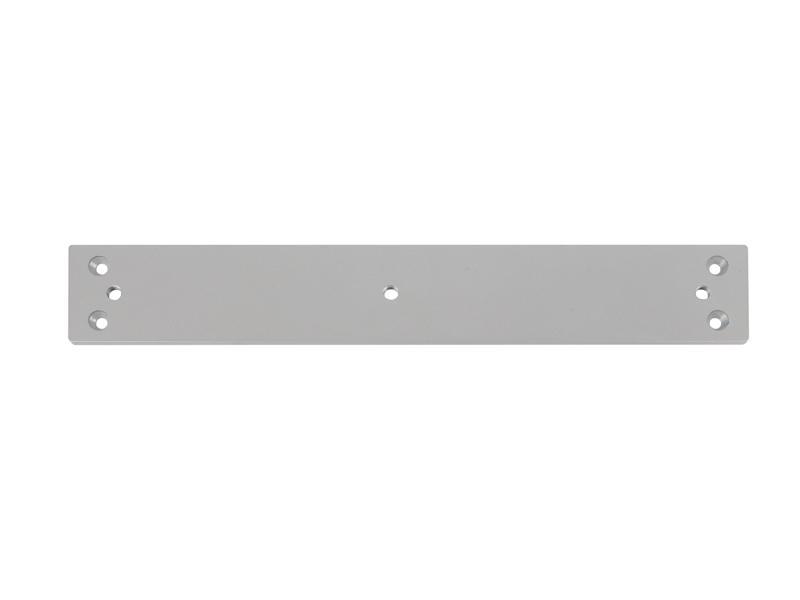
Mounting brackets for monitor mounts – stable mounting on columns, tubes, and poles
Mounting brackets for monitor mounts offer an exceptionally stable and space-saving way to securely mount monitors to existing columns, poles, or square tubes. This mounting solution is ideal for environments where traditional wall or table mounts cannot be used or where flexible positioning within the room is desired. Whether in industry, office buildings, trade fair construction, public facilities, or private homes – Using existing columns offers an elegant, unobtrusive, and extremely practical solution for monitor mounting.
With the appropriate mounting brackets, you can securely attach almost any type of monitor mount to columns or tubes. Thanks to their solid construction and high-quality materials, the brackets ensure a vibration-free, durable, and long-lasting installation. Ideal for everyday use, even in demanding environments such as digital signage, production settings, or customer information systems.
Suitable for various column and pipe diameters
Our mounting brackets for pipes, rods, and columns are available in various sizes and designs, covering a wide range of column and pipe diameters. This allows for perfect compatibility with a variety of mounting systems. From simple monitor arms and TV mounts to professional swivel and tilt solutions.
Whether round or square tubing: With the right mounting hardware, monitors can be positioned exactly where they are needed – centrally in the room, on a load-bearing column, in the entrance area, or in hard-to-reach places. Installation is straightforward using screws, and the rectangular shape ensures maximum stability.
Many users appreciate that this type of mounting allows the screen position to remain flexible even after installation: In combination with appropriate monitor mounts, monitors can be swiveled, rotated, tilted, or adjusted in height. Perfect for ergonomic workstations or presentation areas.
Ideal for digital signage, events, industry, and offices
Especially in the area of digital signage, in retail spaces, gyms, conference rooms, workshops, or at trade fairs, mounting brackets are a proven solution. They allow for the central positioning of information or advertising displays without requiring additional wall space.
They also demonstrate their advantages in technical work environments such as warehouses or production facilities: Their high stability and load-bearing capacity make them ideal for monitors that are in continuous use. Furthermore, they offer clean cable management and support a professional appearance.
Custom designs and personal consultation
The available standard sizes cover many applications – but not always all. If our standard monitor mount for square tubes or columns doesn't fully meet your requirements, we offer custom-made solutions. This allows us to easily accommodate specific tube diameters, special installation situations, or individual mounting combinations.
If you have any questions about our mounting rights for monitor mounts, compatible mounting systems, or our custom solutions, please feel free to contact us by phone or email. Our experienced team will be happy to assist you and find the perfect solution for your application.
The right TV mount depends primarily on the VESA standard and the weight of the TV. Both must match the VESA mount and the load capacity of the mount. If the VESA standard or the weight of the TV is not known, you can either find out both using the "Finder" or contact us. We are happy to help you!
The VESA standard is a standard for attaching flat screens / LCD / monitors / televisions to monitor mounts or TV mounts. Depending on the dimensions and weight of the screen, at least four threads or drill holes are defined (hole pattern). The uniform VESA standard allows you to attach your television to a monitor mount for the wall, table or ceiling.
To determine whether a TV has a VESA mount, you can look at the user manual or measure the distance between the screw holes on the back (typical dimensions: 75x75, 100x100, 200x200). Alternatively, you can search for the model number online using the "VESA standard".
Not every TV can be attached to a TV mount. A TV must have a VESA mount to be compatible with a mount. If the TV does not have VESA screw holes or requires a special mount, a standard mount may not be suitable. In such cases, special adapters or mounts may be required. You can get help choosing the right TV mount in our guide.
Whether the old TV mount can be reused depends on the VESA standard, the load capacity and the screen size of the new TV. If the mounting holes match and the mount can support the weight, reuse is usually possible. If there are small deviations, adapter plates can help.
Installing a TV mount usually takes 30 to 60 minutes, depending on the type of mount and the condition of the wall. A simple fixed mount is usually installed faster, while swiveling or tilting models require a little more time and precision.
Yes, installing a TV wall mount is relatively easy with the right tools and a little manual skill. A fixed mount can usually be installed quickly, while swiveling or tilting models require a little more precision. It is important to consider the type of wall, the VESA standard and the load capacity of the mount.
When buying a TV wall mount, the VESA standard, the load capacity and the desired mobility (fixed, tiltable or swiveling) are important. In addition, the mount should match the wall structure and offer the right distance for optimal use. Good cable routing ensures a clean appearance.
Swiveling means moving the TV sideways to the left and right, while tilting allows you to tilt it up or down to reduce reflections. Rotating, on the other hand, allows you to rotate the screen on its own axis, which is particularly useful for special installations such as portrait orientation. A flexible mount often combines several of these functions for the best adjustment. Find more Infos
Yes, many TV wall mounts support multiple VESA standards by offering different hole spacing for mounting. Universal mounts are often designed for common sizes such as 200x200, 400x400 or 600x400 mm. It is important to check whether the TV's VESA standard is compatible with the mount before purchasing.
The ideal distance from the TV depends on the screen size and resolution. For HD TVs, the distance should be about 1.5 to 2.5 times the screen diagonal; for 4K TVs, 1 to 1.5 times the distance is sufficient. This way, the picture stays sharp and you can see the display clearly. click here for more tips and tricks
If a TV does not have VESA holes, you can use special adapters or brackets that can be attached to the existing mounting points on the TV. Alternatively, there are also wall brackets that are suitable for TVs without VESA compatibility and allow for individual attachment.